Case study and proposal · Rearick’s Heating & Cooling
A homepage built to turn visitors into service calls
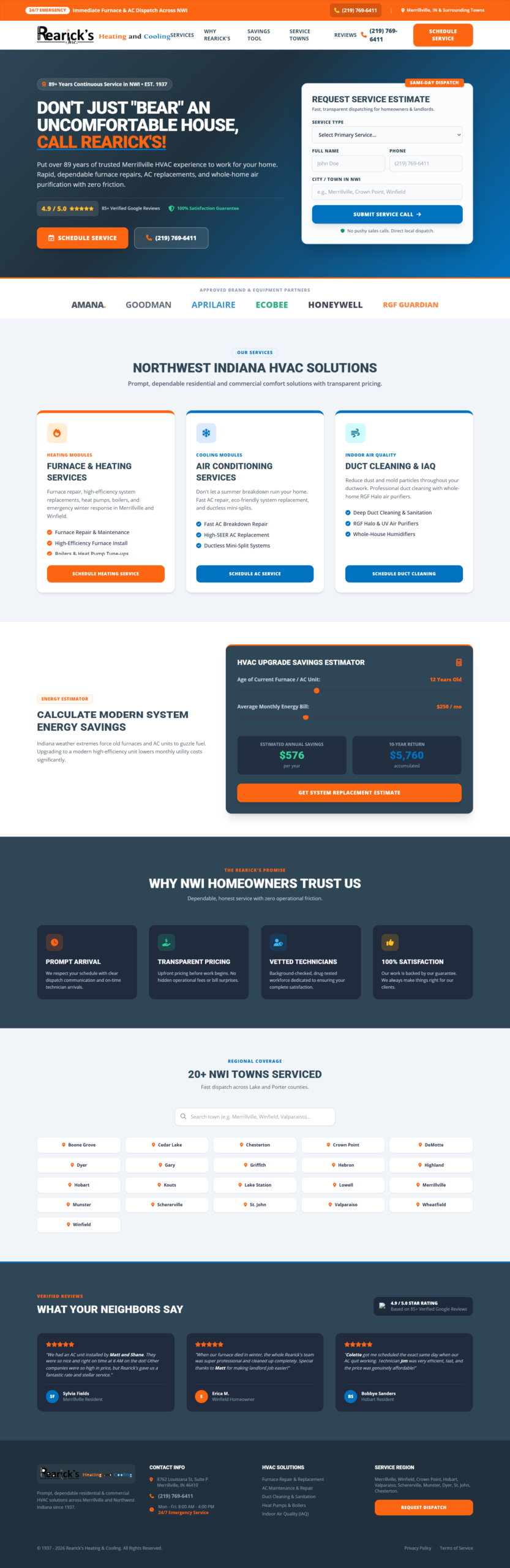
Rearick’s has kept Northwest Indiana homes comfortable since 1937, but its website was burying that reputation. We rebuilt the homepage around what a homeowner with a broken furnace needs: a fast way to reach a technician and a clear reason to trust Rearick’s. Below is the redesign and the plan to launch it.
| Client | Rearick’s Heating & Cooling, Merrillville, IN |
| Market | Lake and Porter counties, 20+ towns |
| Scope | Audit, UX strategy, visual design, front-end build |
| Goal | More service calls and estimate requests from mobile visitors |
| Status | Live prototype, launch in about 7 weeks |
Links in the main navigation
Page loads to request service
Service request forms on the homepage
Menu items that open a PDF
Customer reviews on the page

Drag, or focus the image and use the arrow keys.

The audit
What we found, and what we fixed
We reviewed the original homepage the way most homeowners use it: on a phone, in a hurry, with the house getting colder.
Navigation
Too many doors
Found
Seven dropdown menus held 42 links. The Products menu alone had 16, and ten of them opened manufacturer PDFs that pull visitors off the site.
Fixed
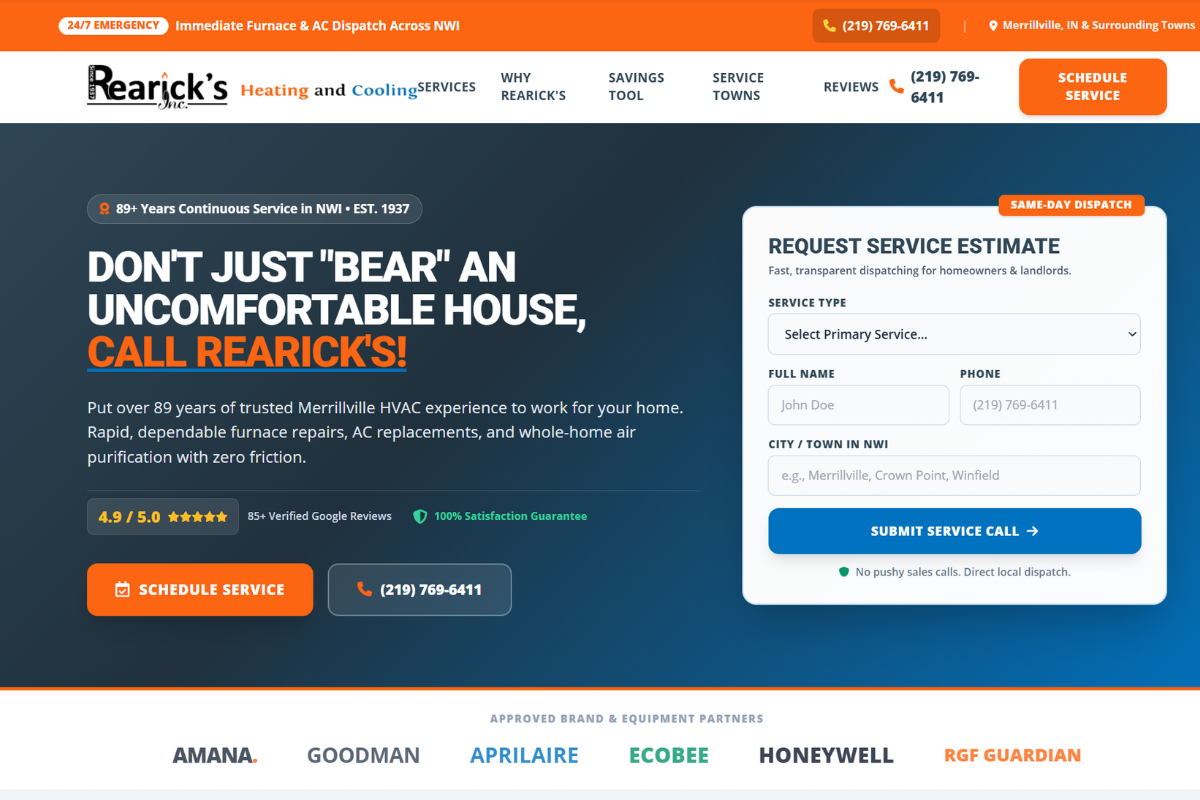
Five clear sections plus a Call button and a Schedule Service button that stay in the header on every screen.
Booking
No way to ask for help on the page
Found
Every Schedule, Estimate and Quote button led to another page. Each extra page load loses people, especially in an emergency.
Fixed
A short estimate form in the hero (service, name, phone, town) and a Schedule Service form that opens from any button.
Trust
The best story was buried
Found
Nearly 90 years in business appeared halfway down the page. Reviews were only an outbound link to Google.
Fixed
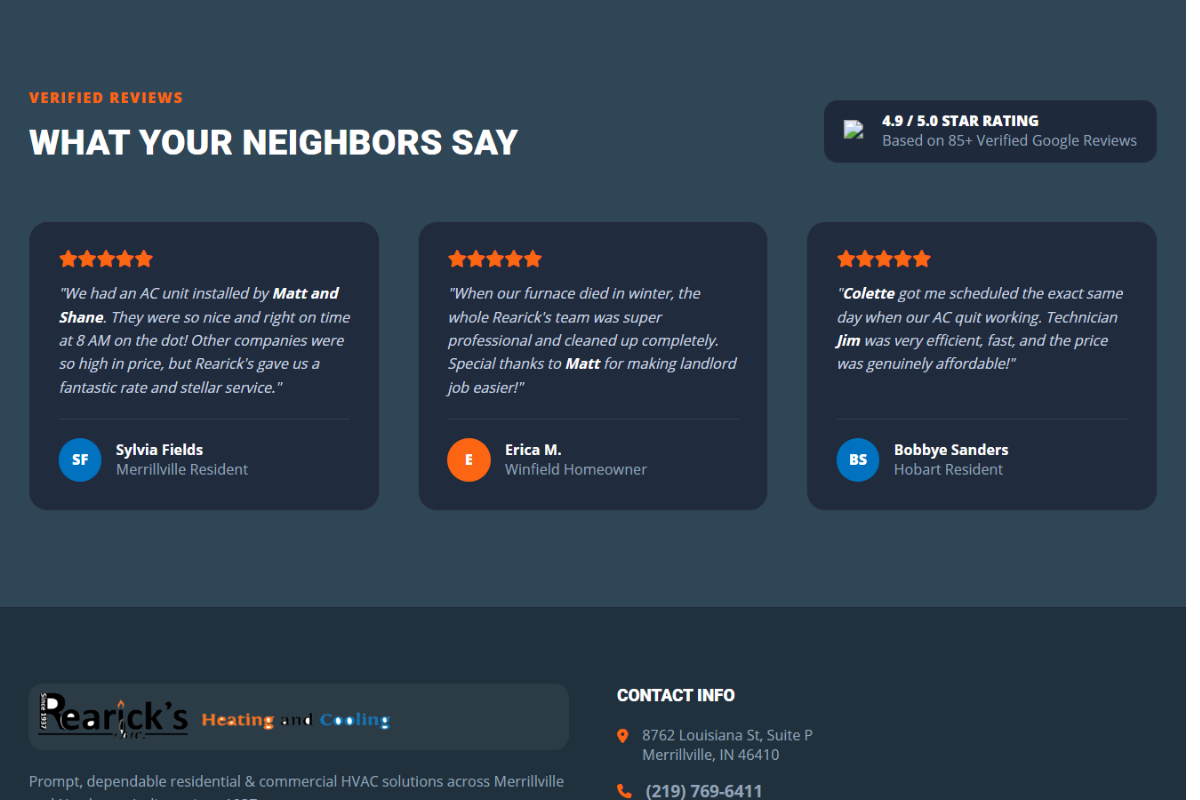
Est. 1937 leads the hero, with the star rating, satisfaction guarantee and three named reviews from Merrillville, Winfield and Hobart.
Services
Hard to scan
Found
Long keyword-heavy paragraphs, and the heating, AC and duct cleaning blocks and the city list each appeared twice.
Fixed
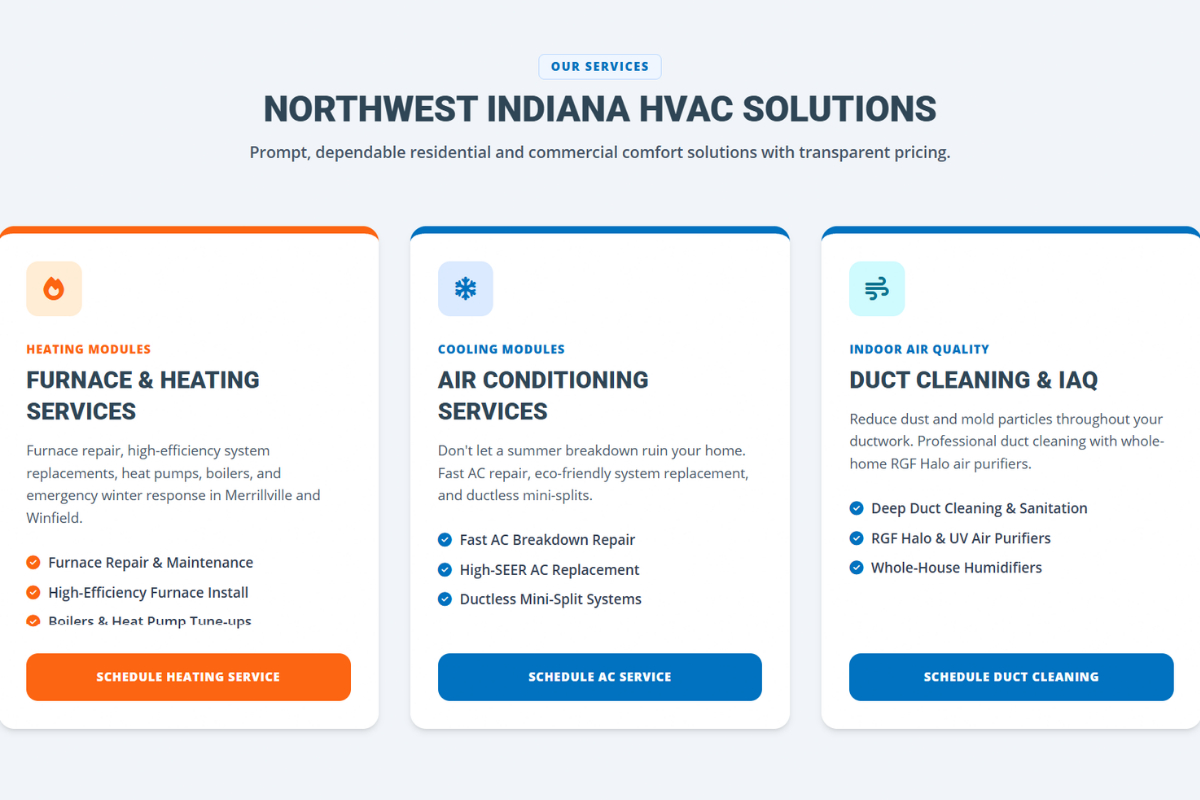
Three service modules, each with three short bullets and its own booking button.
Engagement
Nothing to do but read
Found
The page said old systems waste money but gave visitors no way to see what that means for their home.
Fixed
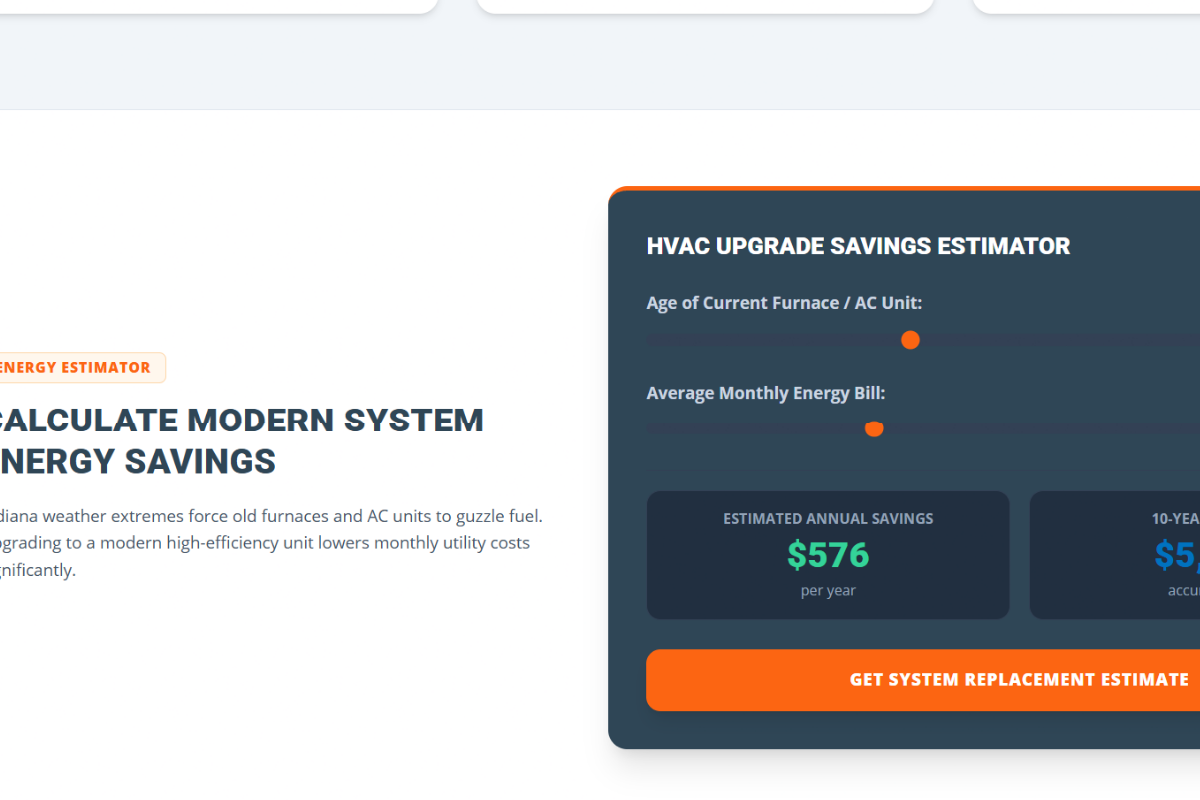
An Upgrade Savings Estimator that shows yearly and 10-year savings from system age and monthly bill, then leads to a replacement estimate.
Polish
Small errors, real cost
Found
A sentence missing its year (“installing furnace units… since and know how to do it right”), Schererville misspelled, and only weekday hours listed.
Fixed
Rewritten, proofread copy, a consistent type system, and a footer with address, hours, services and service region in one place.
What we kept. The memorable brand line (“Don’t just bear an uncomfortable house”), the familiar phone number, the full list of service towns, and the local search terms customers already find Rearick’s by.
Goals
One job: turn more visitors into booked service calls
Five goals support it, and each one comes with a way to check it.
Request service without leaving the homepage
Form above the fold; 0 extra page loads to book
Put the phone number one tap away
Call button stays in the header on mobile
Show why Rearick's is the safe choice
Est. 1937, rating, guarantee and reviews on the first screen
Make services easy to scan
42 links cut to 5 sections; no off-site PDFs
Keep and grow local search visibility
Local keywords in titles and descriptions; town pages indexed
The redesign
Built for the homeowner, section by section
Each section of the new homepage answers one question a homeowner has before picking up the phone.
Hero: call, schedule or request in one glance
The brand line stays, now beside the phone number, star rating, guarantee and an estimate form. A homeowner can request help in under a minute without scrolling.
Services: three clear paths
Heating, Air Conditioning, and Duct Cleaning & Air Quality each get a short summary, three specifics and a button to book that exact service.
Savings estimator
Turns “old units waste money” into a number for the visitor’s own home. Its formula will be set with Rearick’s before launch.
The Rearick’s promise
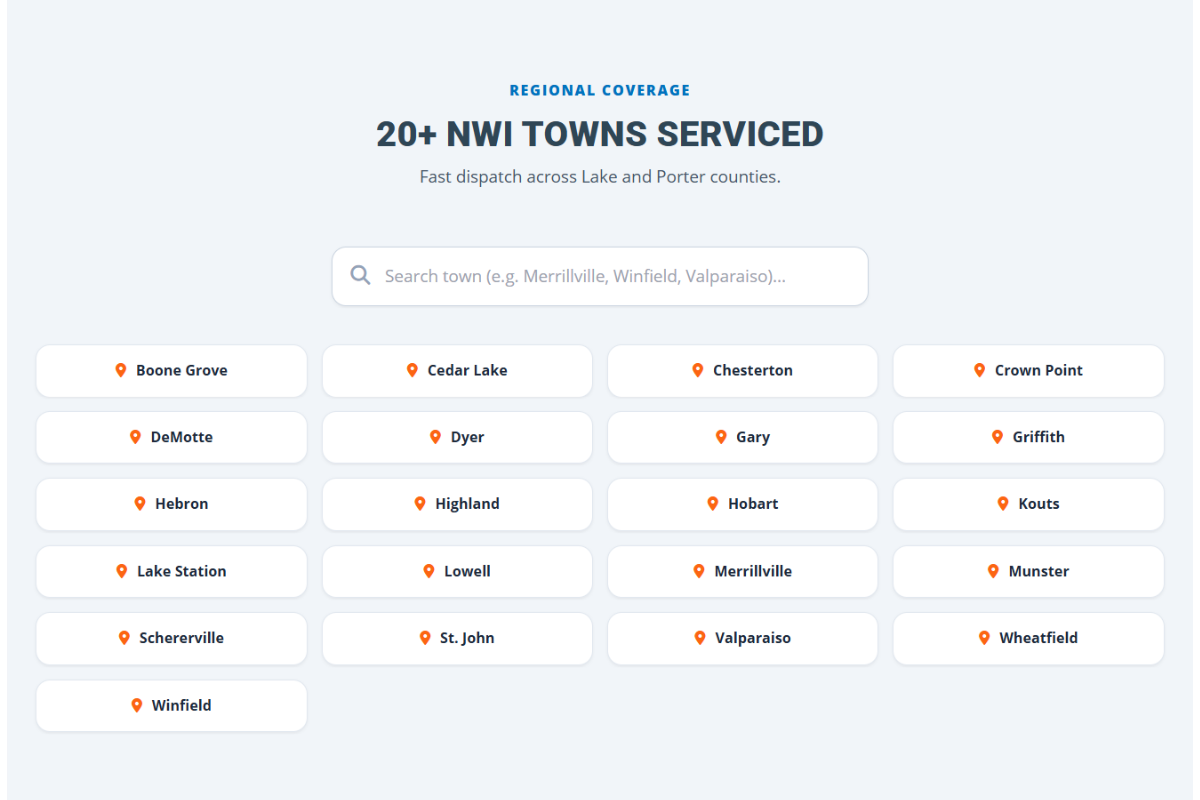
Prompt arrival, upfront pricing, vetted technicians and a satisfaction guarantee, plus every town served across Lake and Porter counties.
Reviews from neighbors
Real customers from nearby towns, naming the technicians who helped them. Local, specific praise does more than any slogan.
Sticky header
Five links, a Call button and Schedule Service, visible from anywhere on the page.
Brand partners
Amana, Goodman, Aprilaire, Ecobee, Honeywell and RGF in one row.
Footer and pop-up form
Address, hours, services and region, and every path ends in a way to book.
The plan
New homepage live in about seven weeks
Four phases, with design approval before the build starts so there are no surprises at launch. Timing depends on how quickly content and approvals come back.
Weeks 1–2
Discovery and content review
- Kickoff call to confirm goals, services, hours and emergency policy
- Confirm every claim on the page with Rearick’s
- Collect photos of the team, trucks and recent installs
- Set up call tracking and analytics for a baseline
Weeks 3–4
Design refinement
- Update the prototype with feedback and real photos
- Finalize copy, including local search titles and descriptions
- Set the savings estimator formula
- One round of revisions on desktop and mobile
Weeks 5–7
Build and launch
- Build on the chosen platform
- Connect both forms to email or dispatch
- Add local business details for search engines
- Test speed and accessibility on every device
- Launch with redirects so no links break
Weeks 8–12
Inner pages (optional)
- New design on every service page
- Product pages in place of the 10 PDF links
- About, Financing, Offers, Reviews and Contact
- Pages for key service towns
Measuring success
Results reported at 30, 60 and 90 days
A baseline is recorded before launch, so Rearick’s can see what the new site is worth in booked work. Targets for requests and calls are set once the baseline is in.
| Measure | Tool | Baseline | Target |
|---|---|---|---|
| Service requests from the website | Form submissions | Recorded before launch | Increase over baseline |
| Phone calls from the website | Call tracking number | Recorded before launch | Increase over baseline |
| Share of visitors who call or book | Google Analytics | Recorded before launch | Increase over baseline |
| Steps to request service | Manual count | 2+ page loads | 0, form on homepage |
| Mobile performance and accessibility | Google PageSpeed Insights | Recorded before launch | 90+ |
| Local search rankings for core services | Google Search Console | Recorded before launch | Hold or improve |
Packages
Start with the homepage, expand when results justify it
Every package starts with the same discovery and design process. Pricing is shared in the full proposal.
Recommended start
Homepage launch
- Discovery and content review
- Design refinement
- Build, form setup and launch
- Baseline and launch tracking
About 7 weeks
Complete rebuild
Full site
- Everything in Homepage launch
- Redesigned service and product pages
- About, Financing, Offers, Reviews and Contact
- Service-town pages
About 12 weeks
After launch
Growth care
- Monthly updates and seasonal offers
- 30/60/90-day results reports
- Ongoing search improvements
Monthly, ongoing
Next steps
From prototype to launch
- 01Review the live prototype on your phone and desktop.
- 02Book a 30-minute call to walk through it and answer questions.
- 03Choose a package and confirm the details shown on the page.
- 04Sign the agreement; discovery begins the following week.
Is your website as good as your service?
CreativeTech Studio helps local service businesses turn dated websites into pages that bring in calls. It starts with a homepage audit like this one.
Redesign and proposal by CreativeTech Studio · creativetech.studio
Rearick’s Heating & Cooling · 8762 Louisiana St, Suite P, Merrillville, IN 46410 · (219) 769-6411